
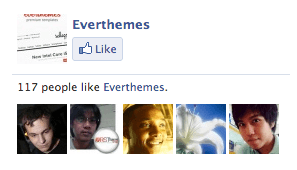
Some days ago the Facebook Like Box widget included in Fortuna theme stopped working.
There was a change on the Facebook end. But the problem it’s easy to fix.
How to fix the issue?
If you want to make the updates for yourself let me explain.
1 First, add a container <div class="fb-container"> to the current box on catalog/view/theme/fortuna/template/common/footer.tpl and make sure to insert https://www.facebook.com/ to the href attribute,
<div id="bg-box" class="fb-like-box" data-href="https://www.facebook.com/<?php echo $this->config->get(‘fortuna_facebook_id’); ?>" data-width="290" data-height="180" data-color-scheme="light" data-show-faces="true" data-border-color="#FFF" data-stream="false" data-header="false"></div>
</div>
[/html]
2 Then, the CSS to hide the border (catalog/view/theme/fortuna/stylesheet/stylesheet.css):
[css] .fb-container {width: 288px;
height: 178px;
overflow: hidden;
margin: 0 auto;
}
.fb-container > div {
margin: -1px 0px 0px -1px;
}
[/css]
3 Delete the references to Facebook frame at the bottom of the same file.
[css] /* This element holds injected scripts inside iframes that in some cases may stretch layouts. So, we’re just hiding it. */#fb-root {
display: none;
}
/* To fill the container and nothing else */
.fb_iframe_widget, .fb_iframe_widget span, .fb_iframe_widget span iframe[style] {
width: 100% !important;
}
[/css]
4 Also, you need to change the Facebook ID on Fortuna theme options module for the url ending. For example, if the page is www.facebook.com/everthemes, you need:

Questions?
If you have any issues, send me a message through the contact form on my profile page on Themeforest.
Great tutorial!
However, specially for the dummies, could you explain where exactly (e.g. “line 52”, “line 250”) should be inserted the infos in steps 1 and 2?
Hi, the line has changed on different versions of the file for that reason I didn’t write the line number. In Fortuna 1.2.0 it’s on line 68, find this code class=”fb-like-box” and replace the entire DIV with the new code provided.
You can add the CSS code from the Step 2 to the bottom of the file.
Thank you so much for your patience. Step 3 was easy with your help.
Is there a solution for step 2 in Fortuna 1.0.2? There’s not a code class=”fb-like-box” there; which line would that be?